Universal Data Loader
A general-purpose bulk import tool — upload an Excel file with hundreds or thousands of records (assets, locations, items, job plans, PM schedules, people, labor, crafts) and import them all at once, instead of entering them one by one manually.
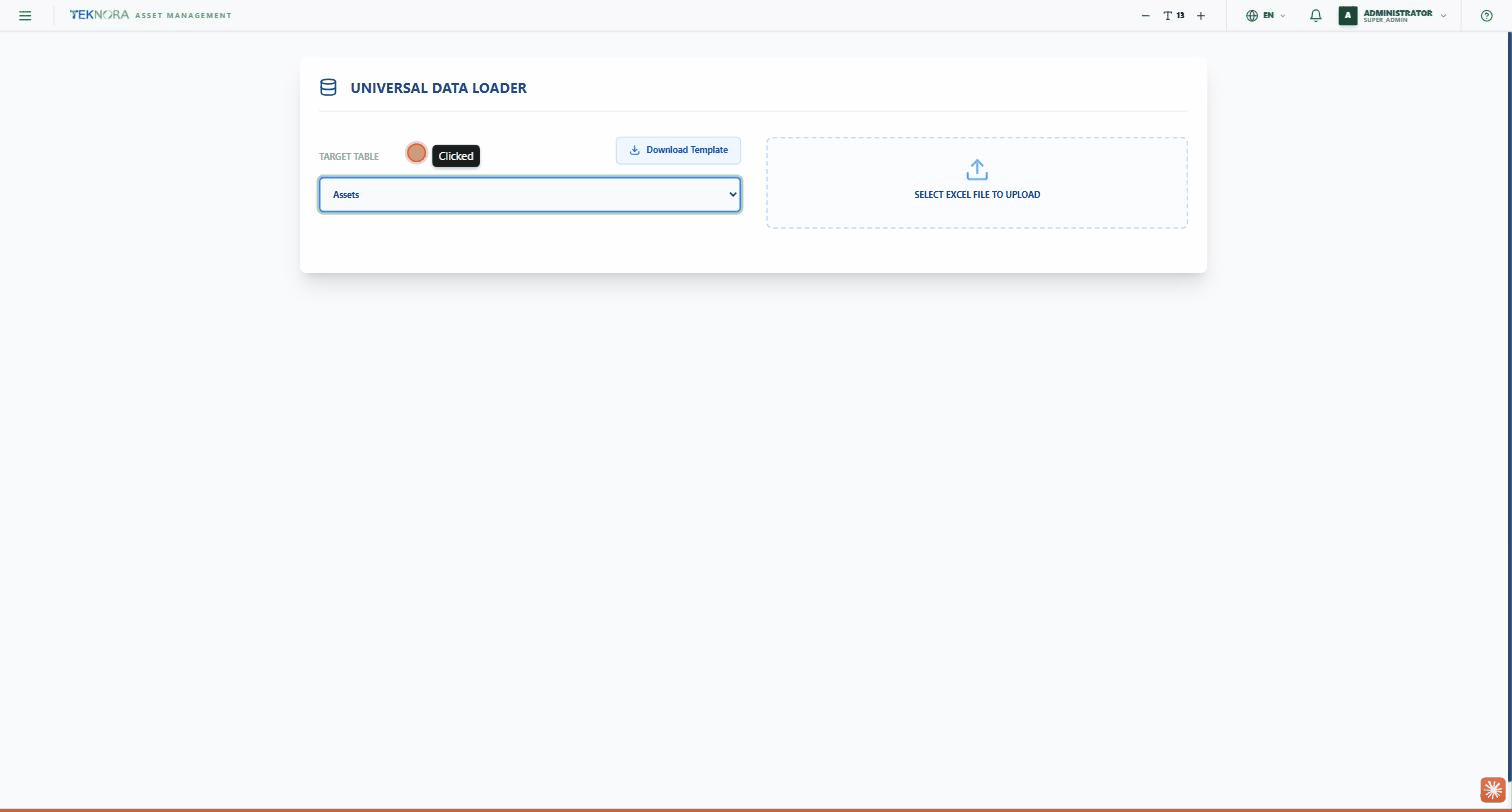
Target Table
A dropdown listing every record type you can import:
- Assets
- Locations
- Items
- Job Plans
- PM Schedules
- Person
- Labor
- Crafts
Download Template
After choosing the target table, click DOWNLOAD TEMPLATE to download a blank Excel file with exactly the columns the system expects for that record type — this ensures your data gets read correctly.
Upload & Smart Mapping
Click the SELECT EXCEL FILE TO UPLOAD area and upload your file. The system automatically analyzes the file's columns and tries to auto-map them to the correct fields based on name similarity. A "Field Mapping" screen then appears — for each column in your file, you can choose from a dropdown which system field it maps to, or choose "-- Ignore --" if you don't want to import that column at all.
Data Preview
A table showing the first rows of your file exactly as they are, so you can confirm the data was read correctly before continuing.
Execute Import
The green button below the preview — starts the actual import of every row in the file, using the column mapping you defined.
Practical Steps
1. Choose the record type
From the TARGET TABLE dropdown, select the type of data you're importing.
2. Download the template (recommended)
Click DOWNLOAD TEMPLATE and fill in your data using the ready-made template — this reduces the chance of column errors.
3. Upload the file
Click the upload area and select your Excel file.
4. Review and fix the field mapping
Review the "Field Mapping" and make sure every column is mapped to the right field — the system tries to guess automatically, but it won't always be 100% accurate.
5. Preview and execute
Review the preview table, then click EXECUTE IMPORT.
Before executing
The import actually adds real records to the database immediately, with no automatic undo — review the field mapping and preview very carefully before clicking EXECUTE IMPORT, especially required fields like site and organization.