Item Master
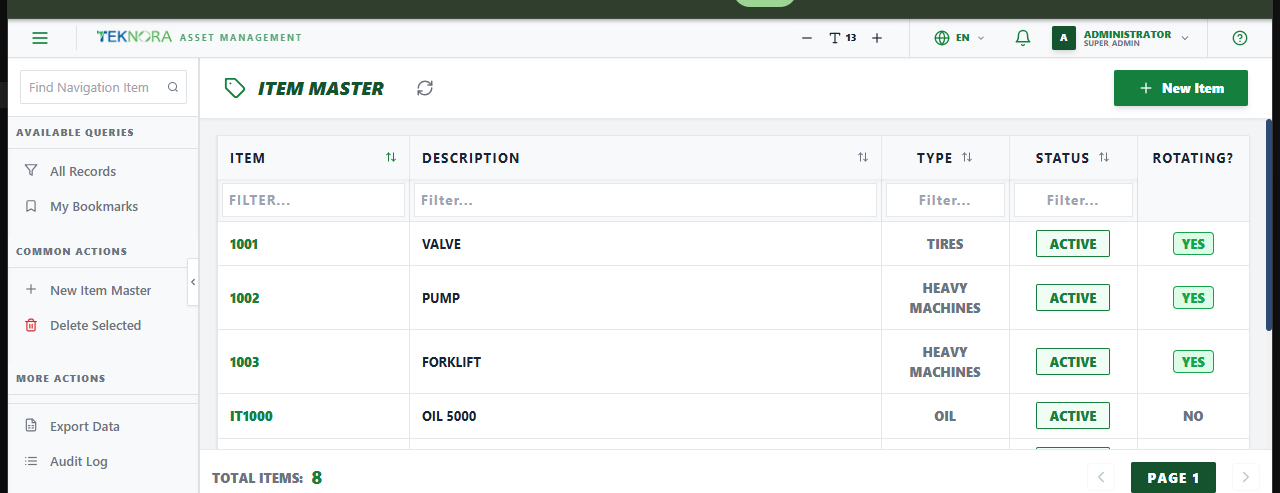
The Item Master screen is the catalog of every stockable item in the system - the definition each item shares across every storeroom it's assigned to (units, type, rotating/spare-part flags...), separate from the actual balance held in any one store.
Purpose of this screen
- Browse every item defined in the system.
- Search and filter by item number, description, type, or status.
- Open an item to edit its definition, assign it to storerooms, or manage vendors/specs/assembly.
- Create a new item.
Table columns
- Item, Description, Type, Status.
How to
1. Create a new item
Click New Item, enter a description (required), item type, and configuration (order/issue unit, rotating, spare part...), then save.
2. Open an item's details
Click any row to open its Item Details screen.
Go to: Item Details screen →