Storerooms
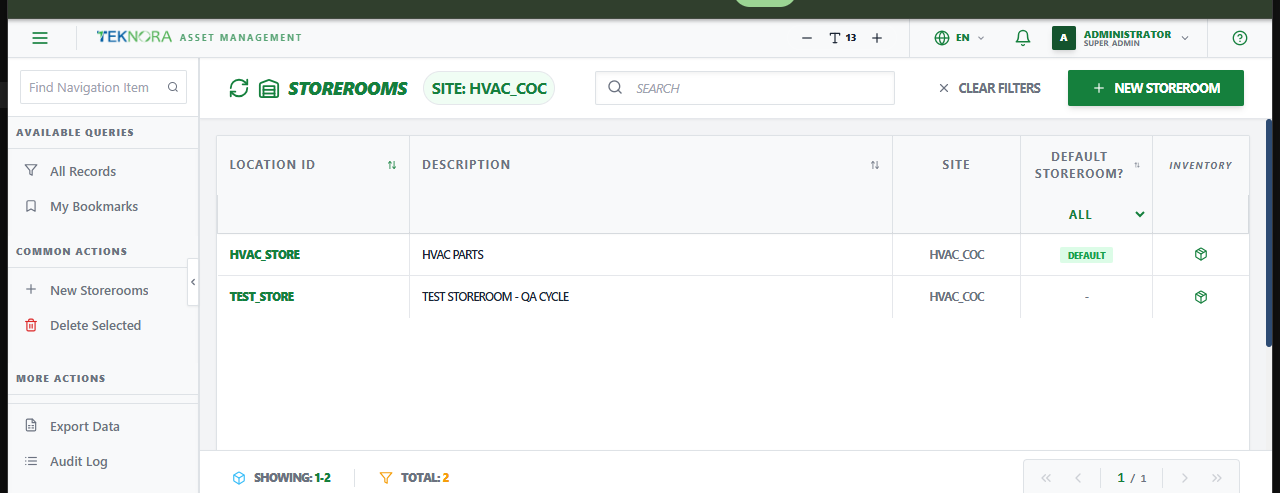
The Storerooms screen is the master list of physical/logical stock locations - every place items, tools, and rotating assets can be received into, issued from, or counted.
Purpose of this screen
- Browse all storerooms across every site.
- Search and filter by location code, description, or site.
- Open a storeroom to edit its settings or GL accounts.
- Create a new storeroom.
Table columns
- Location ID, Description, Site, Default Storeroom?.
How to
1. Create a new storeroom
Click New Storerooms, enter a Location ID and Description, confirm the Organization and Site, and save.
2. Open a storeroom's details
Click any row to open its Storeroom Details screen.
Go to: Storeroom Details screen →