Vendor Details
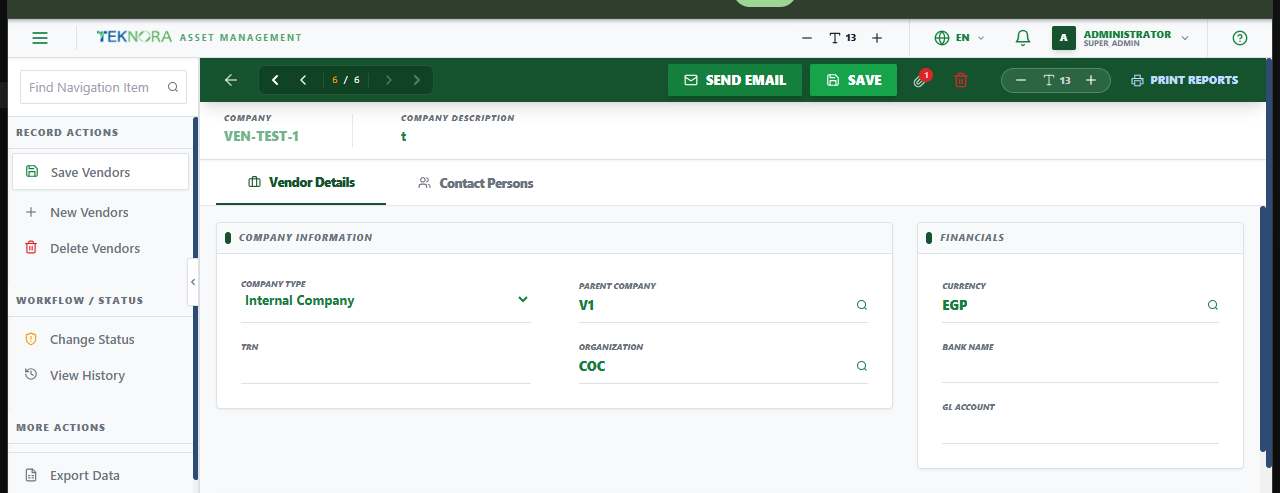
This screen holds one vendor's company information, financial defaults, address, and contact people.
Screen layout
- General: Company Information (code, name...), Financials (default currency...), and Primary Address & Location Details.
- Contacts: The people associated with this vendor - name, email, phone - used when sending RFQs or other correspondence.
How to
1. Register a new vendor
Enter the Company Number and Name (required), fill in currency and address, and save.
2. Add a contact
Open the Contacts tab, add a contact's name and email - this email is what RFQs and other automated emails go to.
3. Send an SLA penalty notice (if applicable)
Some vendor records support emailing an SLA penalty notice directly from this screen.
FAQ
Where does a vendor's default currency get used? It's the default expected when this vendor appears on Purchase Orders, RFQs, and Purchase Invoices.
Go to: Vendors list ← · Purchase Orders →