Workflow Engine
The Workflow Engine is a visual approval-path builder — it lets you define how a record (work order, purchase order, purchase request, material request, service request, incident...) moves from one approval step to the next, and what happens automatically at each stage. This screen lists every registered workflow process as a card.
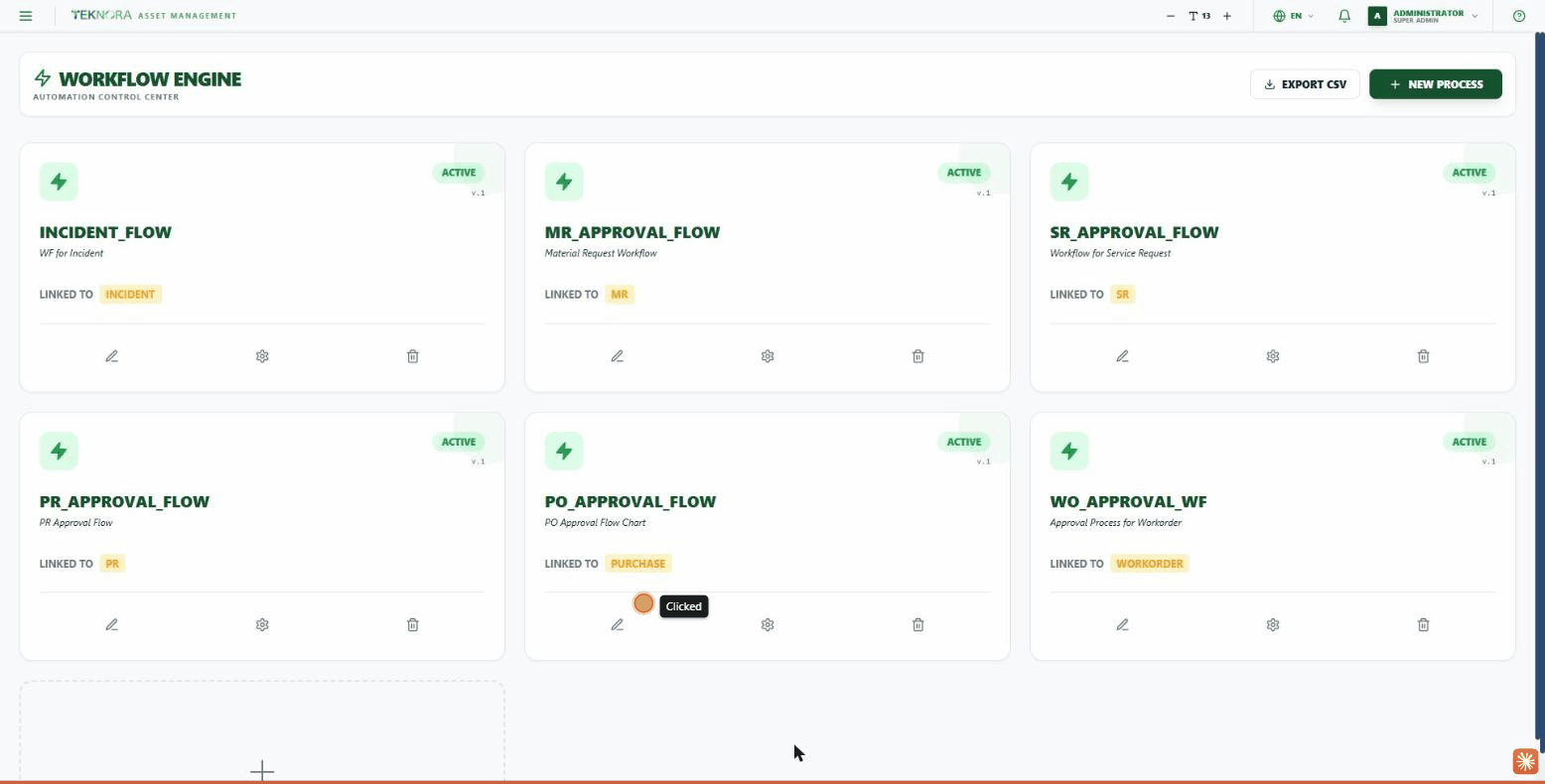
Card Elements
| Element | Description |
|---|---|
| Status | ACTIVE / INACTIVE |
| Version (v.) | The process's current version |
| Process name | The process code (e.g. WO_APPROVAL_WF) |
| Description | A short explanation of the process |
| Linked to | The screen/module this process controls |
| Icons at the bottom of the card | Edit (pencil) - Settings - Delete |
Practical Steps
- Open a process for editing: click the pencil icon on any card to open the Workflow Logic Designer.
- Create a new process: click NEW PROCESS or the dashed card at the end of the grid.
- Export the process list: the EXPORT CSV button at the top exports all processes as a file.
Go to: Workflow Logic Designer →