PM Master Directory
A Preventive Maintenance (PM) schedule is a recurring rule that automatically generates work orders for a specific asset or location — based on a time interval (daily/weekly/monthly/yearly) or a meter reading, and optionally linked to a ready-made Job Plan. This screen lists every PM schedule registered in the system.
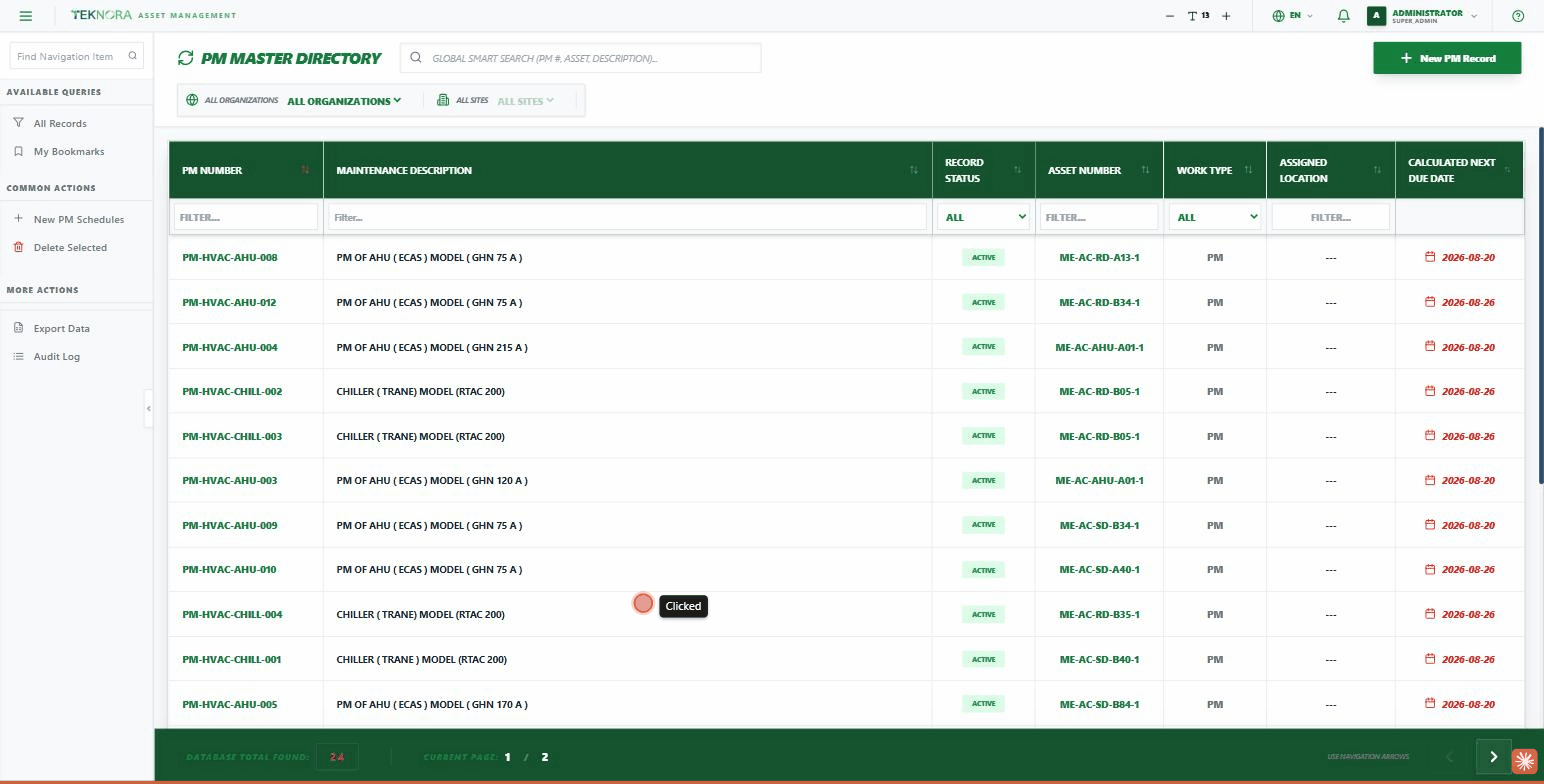
Table Columns
| Column | Description |
|---|---|
| PM Number | The PM schedule code — click it to open the details screen |
| Description | The PM schedule's description |
| Status | ACTIVE / INACTIVE... |
| Asset Number | The asset this PM applies to |
| Work Type | The type of work order that will be generated (e.g. PM) |
| Location | The location linked to the PM |
| Next Due | The next work-order generation date (calculated automatically) |
Practical Steps
- Open a PM schedule: click any row to open its PM Details.
- Create a new schedule: click NEW PM RECORD at the top of the screen.
- Filter by org/site: the dropdowns above the table let you pick an organization and site.
- Global search: the top search box searches across all fields.
Go to: PM Details →